“We need more reviews this month”
You’ve said it. Your manager has said it. And at the end of the month nobody knows whether it happened, because “more” isn’t a number, it has no deadline, and nobody owns it.
That’s exactly what Goals fixes. You set a specific target — this many reviews, at this minimum rating, over this period — assign it to the location or to specific people, and Cinquo tracks it for you. When the period ends, the goal is stored with the real result: hit or missed.
What’s inside Goals
Open it from your location menu on the web and you’ll see three tabs:
- Team Goals: the shared targets for the location.
- Individual Goals: the targets for each employee or trackeable QR of Cinquo (more info about this feature)
- Past Goals: the history, with what was actually achieved in each period.
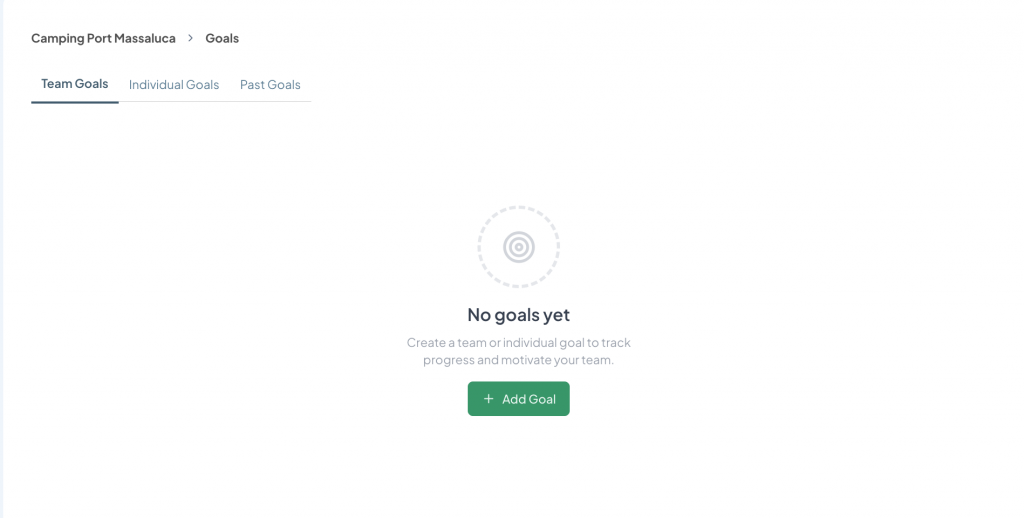
First time in, you’ll get a No goals yet screen and an Add Goal button. From there Cinquo asks the first thing you need to decide: team goal or individual goal?
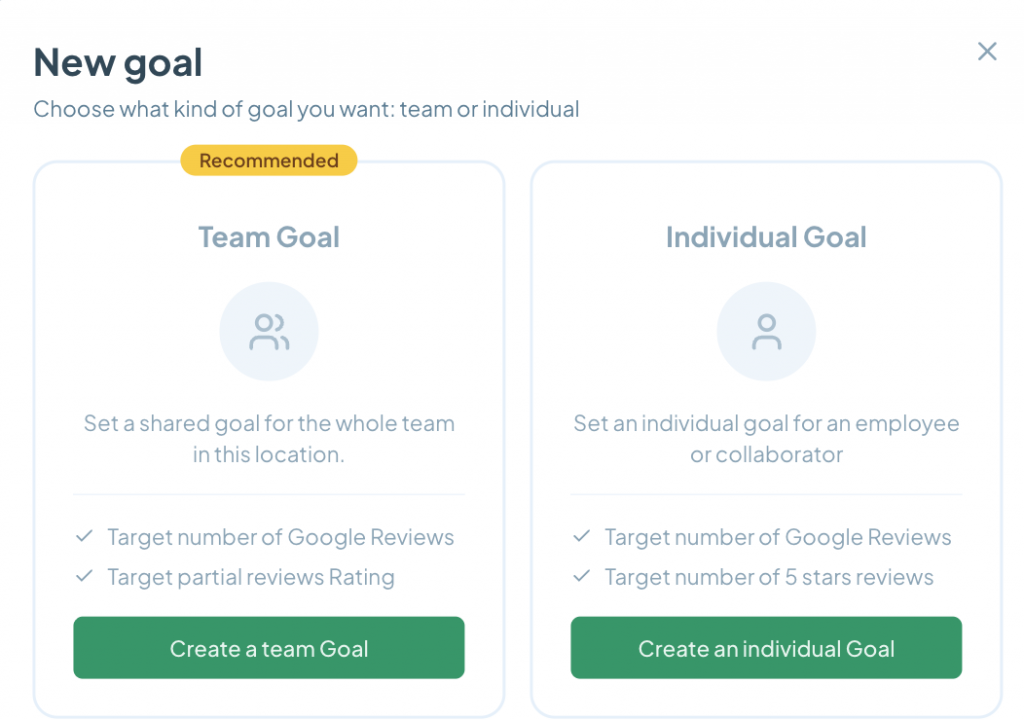
Team Goal: the target for the location
This is the one we recommend starting with. It’s a shared target for everyone in the location, not pointed at any one person, and it combines two things at once:
- A target number of Google reviews to reach.
- A minimum rating to hold while you reach it.
That combination is the whole point. A volume-only target can be hit with mediocre reviews, and then you’ve gained reviews and lost rating. With the minimum rating built into the same goal, your team can’t hit one by breaking the other.
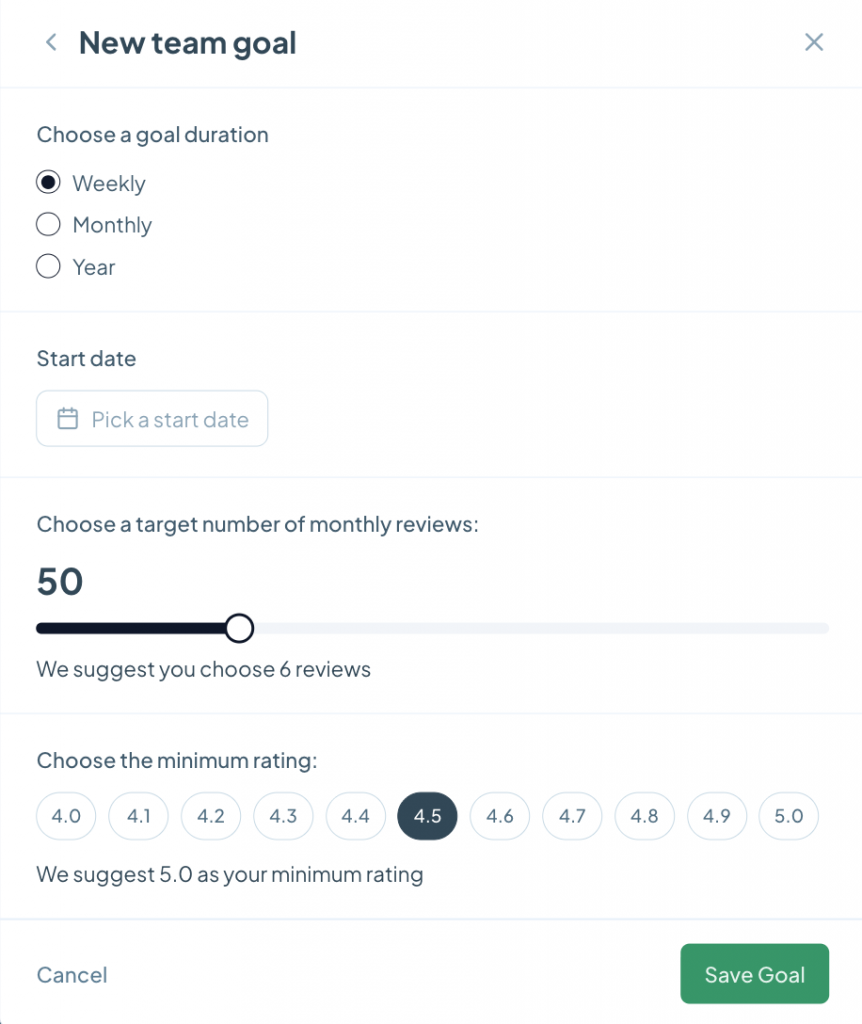
How to set one up:
- Choose a goal duration: Weekly, Monthly or Year. Weekly is good for getting started and building the habit; Monthly is the natural rhythm once it’s running.
- Pick a start date. The period counts from there, so you can line it up with the start of the month or with a campaign launch.
- Set the target number of reviews with the slider. Underneath you’ll see our suggestion, calculated from your own data — if you’re coming off 6 reviews a month, setting 50 isn’t ambition, it’s frustration.
- Choose the minimum rating, from 4.0 to 5.0 in one-decimal steps. Cinquo suggests a value here too, based on where you are now.
- Save Goal.
That’s it. Nothing else to configure, nothing to update by hand afterwards.
Individual Goal: who’s actually bringing the reviews in
This is where it stops being a dashboard and starts moving things. An individual goal is assigned to a specific employee or collaborator and only counts the reviews attributed to them, thanks to measurable QR codes.
You also choose which reviews count:
- All reviews: the simplest one, pure volume.
- 5 star reviews only: excellence only.
- 4 and 5 star reviews only: a bit more realistic than the above, without rewarding lukewarm reviews.
- Pay per 5 stars review: turns the goal into a cash incentive per review earned.
- Pay per 4 and 5 stars review: same idea, slightly wider range.
Those last two are the ones that change the conversation with your team. It stops being “try to ask for reviews” and becomes “every 5-star review you bring in counts, and here’s the record of who brought how many.” Someone who knows their work gets credited asks for reviews differently.
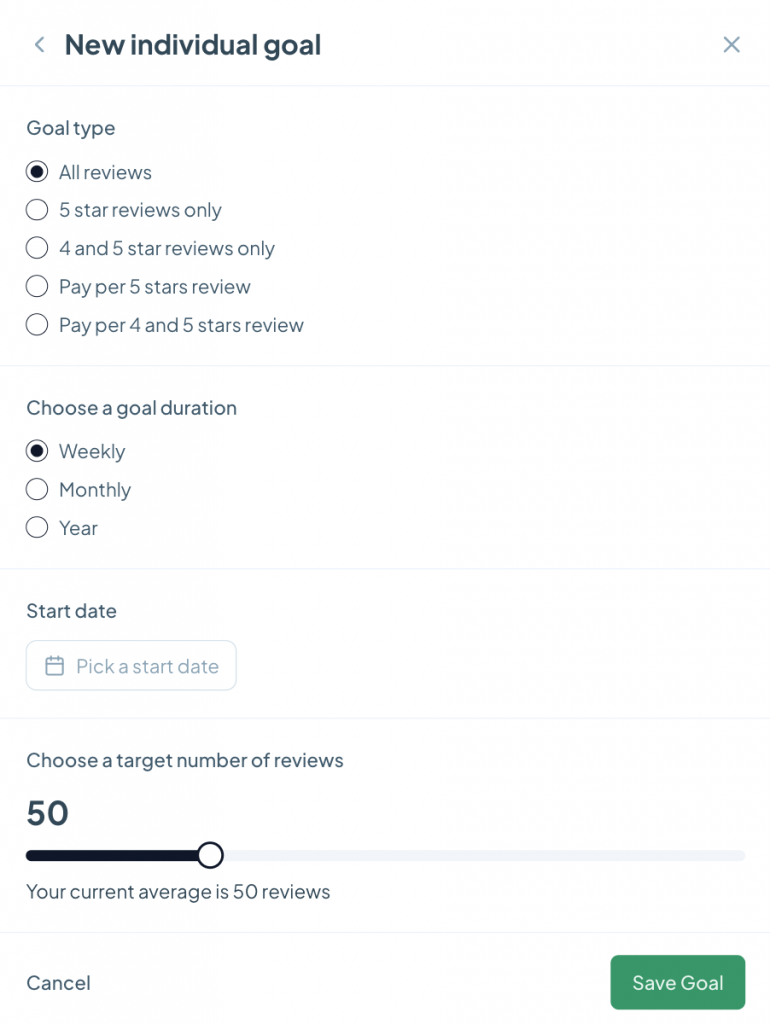
The rest of the flow matches the team goal: Weekly, Monthly or Year, a start date, and a target number of reviews — with your current average shown under the slider so the number stays realistic.
Past Goals: the part that turns this into a routine
A goal with no memory is a new year’s resolution. That’s why the Past Goals tab keeps every closed period with its result, and it’s the tab that makes this work month after month.
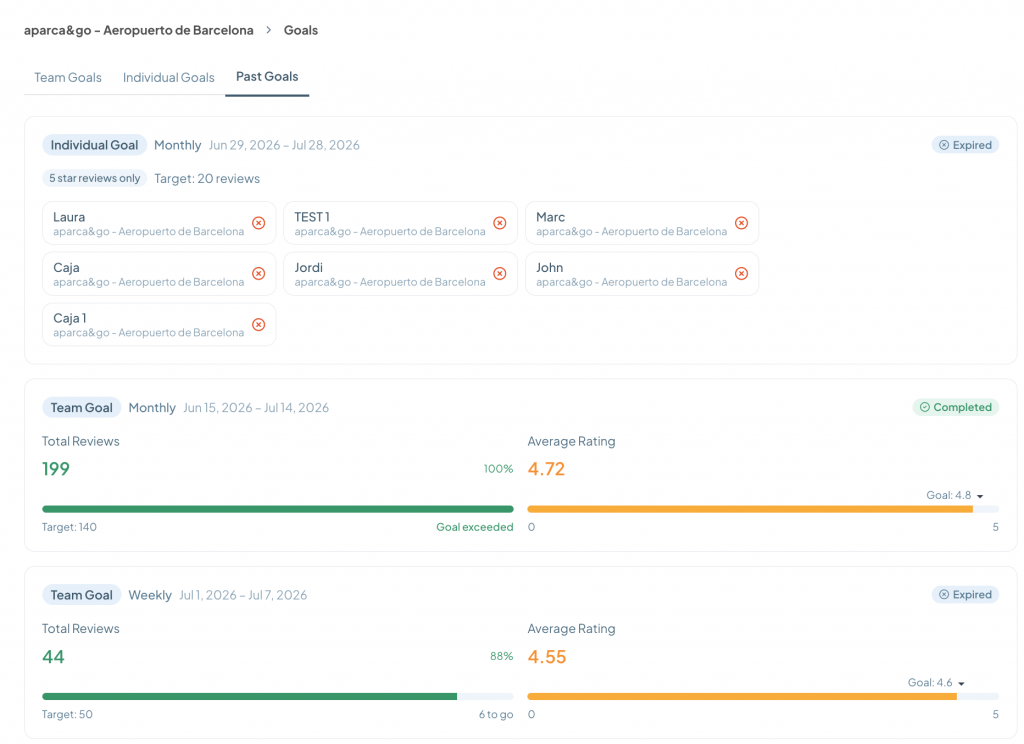
Each card shows the goal type, the duration, the exact dates of the period, and the status: Completed or Expired.
For team goals you also get the result with both metrics side by side:
- Total Reviews achieved, the percentage against target, and the target you’d set. Fall short and it tells you how many were missing; go over and you get a Goal exceeded.
- Average Rating for the period, against the minimum rating you set.
And this is more useful than it looks: a goal can land at 88% on reviews and still have been a good month if the rating went up. Having both numbers together, from the same period, is what lets you make that call on evidence instead of on gut feel.
For individual goals, the card lists everyone who was in the goal and marks who hit it and who didn’t. It’s the summary you want on screen for your team meeting, with zero prep.
How to actually get value out of it
- Start with a monthly team goal. Before you hand out individual targets, check the whole location can move.
- Trust the suggestion. Cinquo calculates it from your history. An impossible target doesn’t motivate anyone — it switches them off in week one.
- Don’t set volume alone. The minimum rating is what protects your reputation while the number climbs.
- Split it with QR codes. No measurable QRs means no attribution, and without attribution individual goals have nothing to count.
- Review the history out loud. Five minutes in the monthly meeting with the Past Goals tab open. That’s the difference between a tool and a habit.
- If you use the pay-per-review types, agree the rules before you start. The goal does the measuring; the deal with your team is yours to make.
FAQ
Can I run several goals at once?
Yes. The usual setup is one team goal for the location plus individual goals for the people who deal with customers.
What durations are available?
Weekly, Monthly and Year, with whatever start date you choose.
What happens when the period ends?
The goal moves to Past Goals with its result. Nothing gets deleted.
How does Cinquo know which review each employee brought in?
Through measurable QR codes: each person has their own code and the reviews that come through it are attributed to them, either through attribution by time or direct mention.
Is it included in any subscription?
Yes, Goals is available on the web for your account.
Setting a goal doesn’t get you reviews. But without one, “get more reviews” never stops being a line people say in meetings. Open Goals, put in a number and a date, and in a month you’ll have something you don’t have today: a figure instead of a feeling.
Check it out right now in the desktop version

